


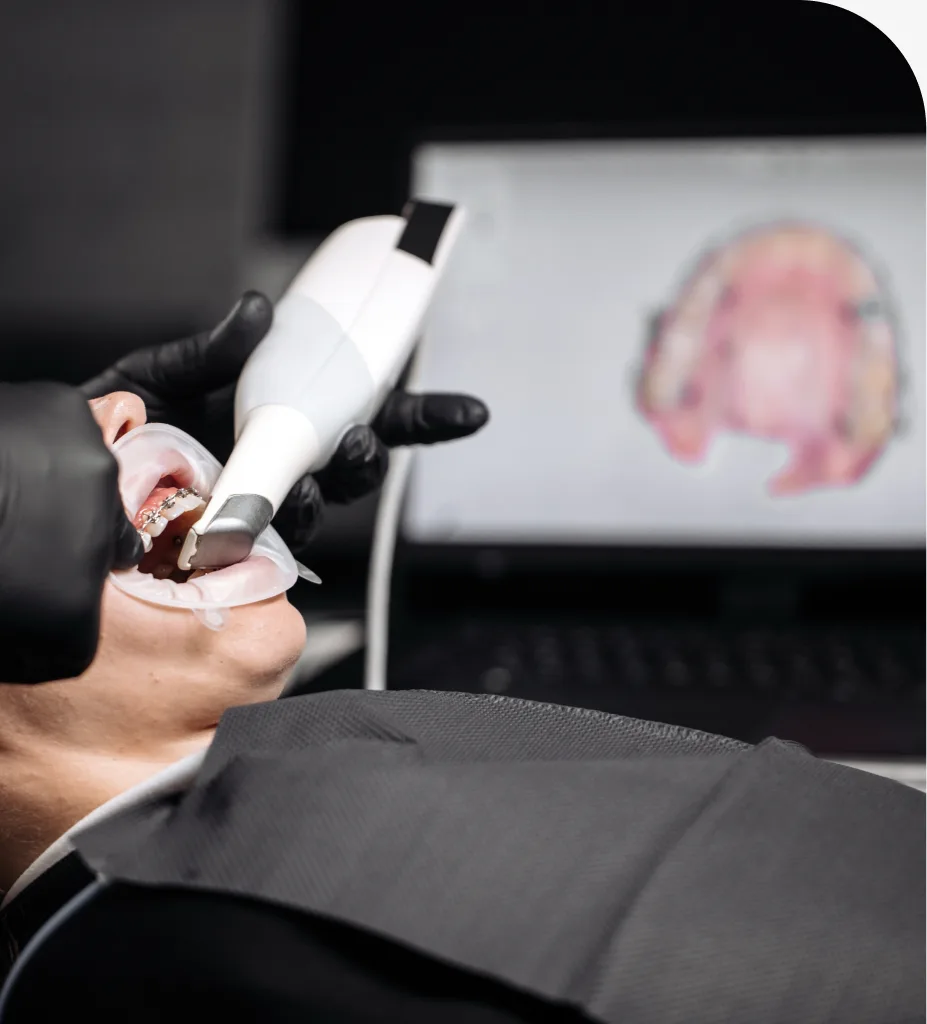
A digital scanner in Hyattsville, Maryland, creates precise, 3D models of your teeth without messy trays or putty. This page explains how an intraoral scanner works, when it is used, the benefits compared with traditional impressions, and what you can expect during a visit.
About Digital Scanner Technology
A digital dental scanner is a handheld, wand-shaped camera that captures thousands of images per second as it is moved around your teeth and gums. Specialized software stitches these images together to form a detailed 3D model of your bite. Dentists use these digital dental impressions to plan crowns, bridges, veneers, clear aligners, nightguards, implants, and other treatments that rely on accurate tooth shape and bite information.
Because the scan is optical, it does not use radiation like an X-ray. The scan is comfortable, quick, and highly accurate. If you have a strong gag reflex or have struggled with impression material in the past, a 3D teeth scan can make the process much easier.
Benefits of Digital Dental Impressions
- Greater accuracy for better-fitting restorations and aligners.
- Comfortable experience with no trays, goop, or strong tastes.
- Faster appointments and fewer retakes compared with putty impressions.
- Clear visuals that help you see what the dentist sees on screen.
- Efficient communication with the dental lab for predictable results.
- Cleaner process with less waste and no setting time.
How a Digital Scanner Works
Step 1: Brief Check and Preparation
Your teeth are examined and lightly dried so the camera can capture crisp images. If needed, a retraction tool helps keep cheeks and tongue out of the way.
Step 2: Intraoral Scanning
The wand is guided across the teeth in a smooth pattern. The software maps surfaces in real time, building a lifelike model of your upper and lower arches and recording how they come together.
Step 3: Bite Registration
You bite gently while the scanner captures your occlusion. This shows how your teeth meet, which is essential for restorations and aligners.
Step 4: Review and Refinement
The 3D model appears on the screen. Areas that need more detail can be rescanned in seconds without restarting the process.
Step 5: Digital Design and Lab Collaboration
The final file is sent securely to a dental lab or used in-office to design custom solutions. This step supports precise planning for crowns, bridges, implants, or orthodontic appliances.
What to Expect During Your Visit
Most scans take 5 to 10 minutes per arch, with total scan time often under 20 minutes. You can breathe and swallow normally throughout. There is no impression material, and most patients find the process easy even with a sensitive gag reflex. The scan is radiation-free, relying on light-based imaging. If a retake is needed, only a small area is rescanned, saving time and reducing discomfort.
Understanding Your Digital Impression Options
Digital impressions can replace traditional impressions for many services, including single crowns, multi-unit bridges, implant restorations, and clear aligners. In some complex cases, a dentist may combine a digital scan with other records for the highest precision. If you are curious about accuracy, speed, or the differences in “traditional vs digital impressions,” ask to view your 3D model during the appointment for a clear, patient-friendly explanation.
Related Services
Looking for related care at our Hyattsville, MD dental office? Explore these treatments:
Frequently Asked Questions About Digital Scanner
It is a handheld camera that captures a series of images and uses software to create a precise 3D model of your teeth and bite. This replaces traditional putty impressions in many situations.
Digital scans are faster, cleaner, and often more accurate. They reduce gagging and retakes, and they streamline communication with the dental lab for predictable results.
Yes. The scan uses visible or near-infrared light and does not involve radiation exposure. It is comfortable and safe for most patients.
Most scans take a few minutes per arch. The entire process, including review, typically fits within a standard appointment.
Many modern scanners do not require powder. If a light dusting is needed for difficult reflective surfaces, it is applied sparingly and removed right away.
Yes. Digital impressions capture fine details and bite relationships, supporting accurate crowns, bridges, implants, and clear aligner treatment.